Table of Contents
What is the Model Context Protocol (MCP)?
Quick Answer:
Model Context Protocol (MCP) is an open standard that allows AI models to securely access tools, APIs, and live data sources using a single protocol.
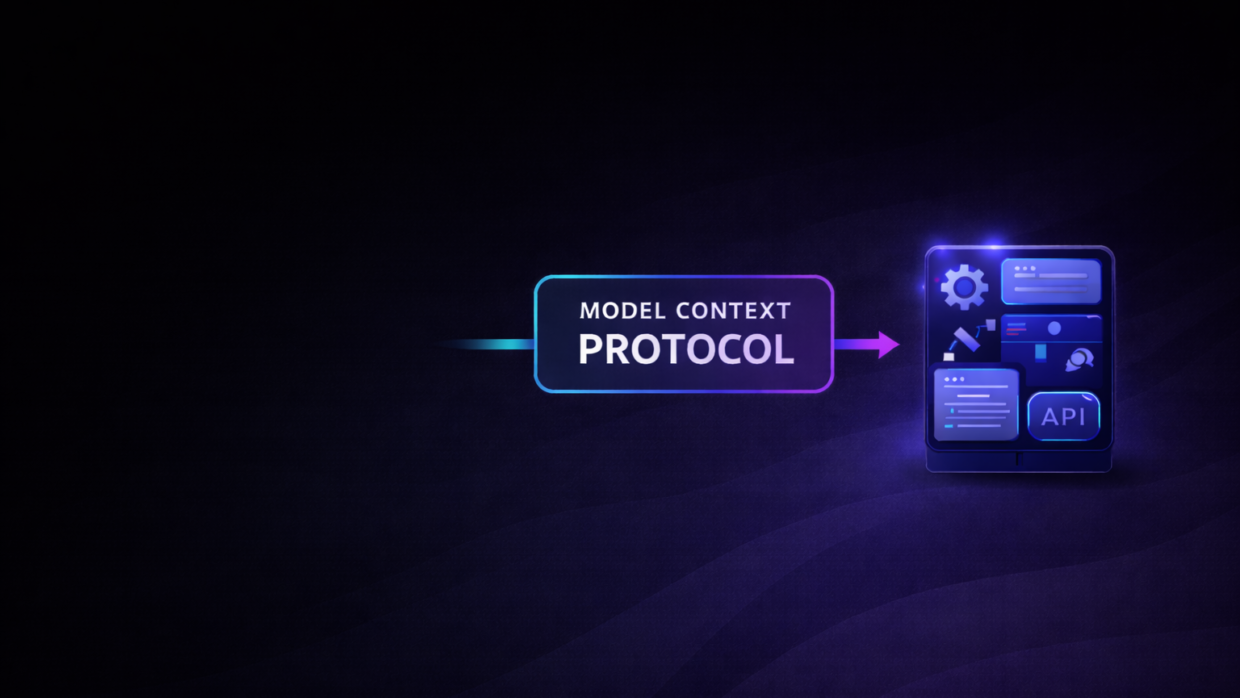
The Model Context Protocol (MCP) is an open standard developed by Anthropic that enables AI assistants and large language models (LLMs) to securely connect to real-world systems where data actually lives—such as content repositories, business tools, APIs, databases, and development environments.
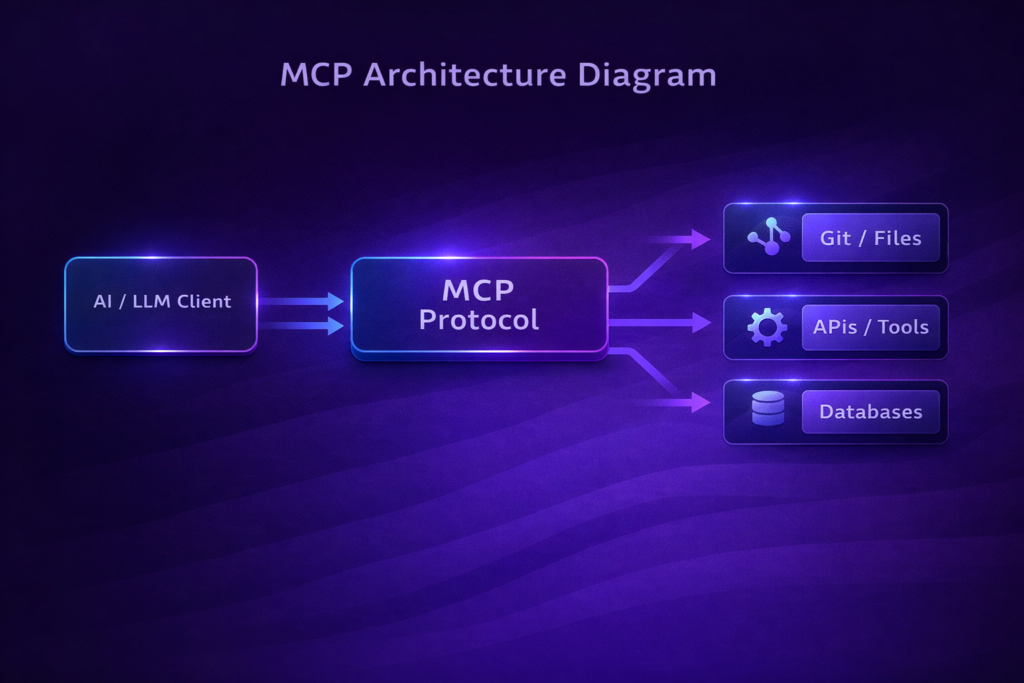
Instead of building separate, custom integrations for every data source, MCP introduces a universal protocol that manages how context flows between AI models and external systems. 
In simple terms, MCP is a standardized bridge between AI and live data.
Why MCP Exists
Modern AI models are powerful, but they suffer from a fundamental limitation:
they are trained on static datasets that can become outdated the moment training ends.
Before MCP, developers had to:
- Build custom plugins for each tool
- Manage different authentication systems
- Maintain brittle, ad-hoc integrations
MCP solves this by offering one protocol that works across tools, models, and platforms.
Key Objectives of the Model Context Protocol
1. Universal Access
MCP establishes a single protocol that allows AI assistants to query data from many different sources—without rewriting integration logic each time.
2. Secure Connections
It replaces custom API connectors with a standardized approach to:
- Authentication
- Permissions
- Data formats
This significantly reduces security risks.
3. Sustainability & Reusability
Developers can build reusable MCP servers that work across:
- Multiple LLMs
- Multiple clients
- Multiple environments
This dramatically lowers long-term maintenance costs.
Why is MCP Important?
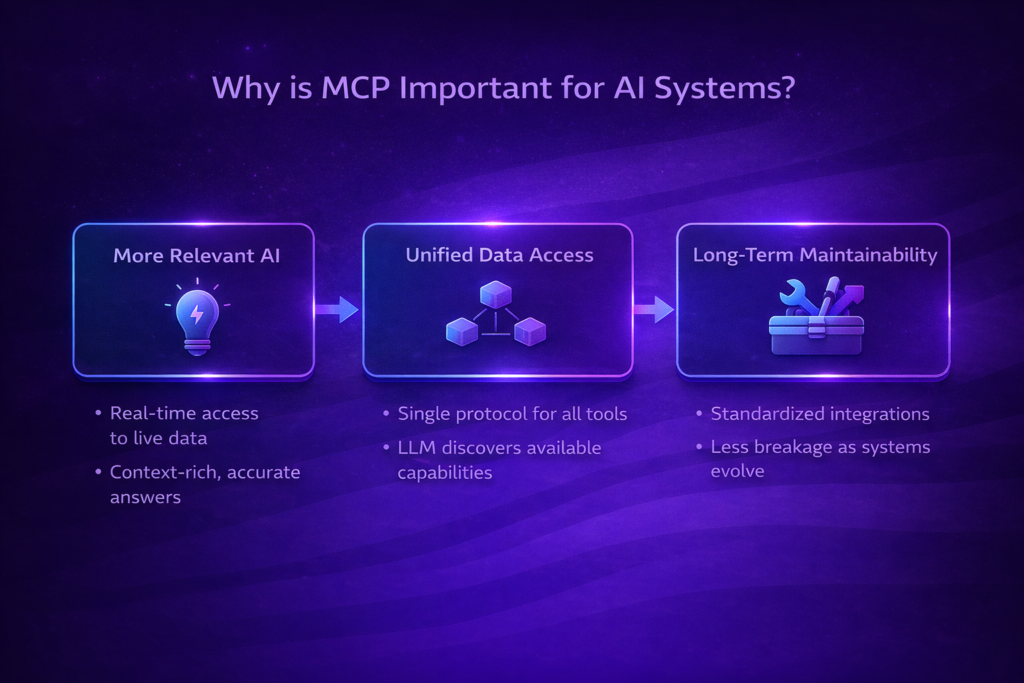
More Relevant AI
AI models often rely on incomplete or outdated information.
MCP connects models to live data sources, enabling:
- Real-time responses
- Context-rich answers
- Higher accuracy
Unified Data Access
Before MCP, developers had to juggle plugins, tokens, wrappers, and SDKs.
With MCP:
- You register connectors once
- The LLM automatically discovers them
- The AI “sees” all available tools through one protocol
This moves AI integration toward a truly standardized ecosystem.
Long-Term Maintainability
As organizations grow, ad-hoc integrations become fragile and hard to debug.
MCP’s open, standardized design means:
- Less breakage
- Easier debugging
- Shared community-maintained connectors
Instead of rewriting integrations for every new platform, teams can rely on a growing MCP ecosystem.
Core Concepts of the Model Context Protocol
MCP Servers
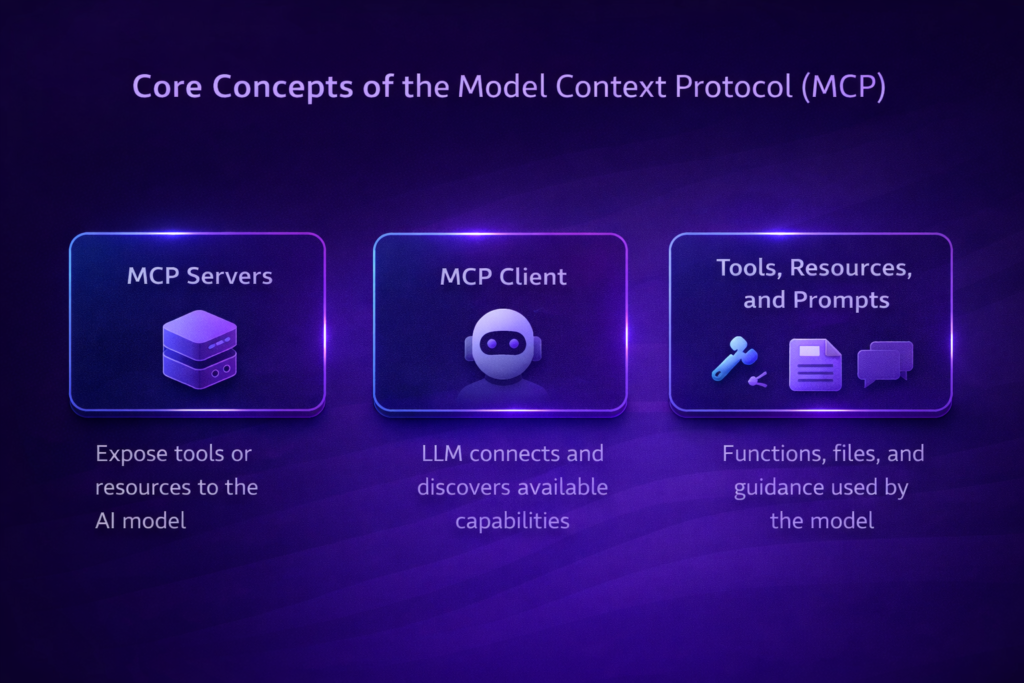
An MCP server is anything that exposes tools or resources to an AI model.
Examples:
- A server exposing a
get_forecasttool - A server exposing a file like
/policies/leave-policy.md - A database connector
Servers define what the AI can access.
MCP Client
An MCP client is typically an LLM-based application (such as an AI assistant).
The client:
- Discovers MCP servers
- Understands available tools
- Converts user prompts into tool calls
All without manually switching systems.
Tools, Resources, and Prompts
Tools
Functions the model can call (with user approval), such as:
createNewTicketupdateDatabaseEntry
Resources
File-like data the model can read:
- Documentation
- Wikis
- Datasets
Prompts
Reusable templates that guide the model to perform specialized tasks.
Example: A Simple MCP Server (Python)
Below is a simplified example of an MCP server that exposes weather tools:
from mcp.server.fastmcp import FastMCP
import httpx

mcp = FastMCP("weather")

@mcp.tool()
async def get_alerts(state: str) -> str:
    """Get weather alerts for a US state."""
    return "Active weather alerts..."

@mcp.tool()
async def get_forecast(latitude: float, longitude: float) -> str:
    """Get weather forecast for a location."""
    return "Forecast data..."

if __name__ == "__main__":
    mcp.run(transport="stdio")
An AI client can now call get_alerts or get_forecast without any custom plugin logic.
Emerging Patterns and Future Workflows
Agent-Led Integrations
As LLMs increasingly act as agents, MCP becomes foundational.
Example workflow:
- An AI agent analyzes a coding task
- It queries an MCP server for Git history
- It updates a ticket via another MCP server
- It logs results in Slack
All through the same protocol.
On-Demand, Scoped Access
MCP supports permission scopes such as:
- Read vs write
- Staging vs production
This reduces the risk of accidental data modification and enables safer agentic behavior.
Integration-Ready API Documentation
In the future, companies may ship MCP connectors alongside their APIs.
Instead of just REST or GraphQL docs, platforms could offer:
- “Install our MCP server”
- Instantly usable, machine-readable integrations
This is where tools like Speakeasy come in.
Speakeasy: A Glimpse of the Future
Speakeasy already generates SDKs from OpenAPI specs.
Extending this to MCP means:
- APIs can ship official MCP servers
- AI tools automatically discover capabilities
- Integrations become plug-and-play
This could replace hand-rolled plugins with verified MCP toolsets—similar to installing an NPM package today.
Seamless Collaboration & Knowledge Exchange
MCP can unify multiple knowledge sources:
- Personal notes
- Corporate Slack logs
- Ticketing systems
- Product FAQs
An AI assistant can weave all of this into a single conversation—breaking down data silos.
Standardized Governance & Logging
For enterprises, MCP offers:
- Centralized authentication
- Unified audit logs
- Policy enforcement
This is especially valuable in regulated industries like finance, healthcare, and legal tech.
Getting Started with MCP
- Official Anthropic Docs: MCP quickstart guides
- Open-Source Servers: Slack, GitHub, Postgres, Google Drive, Puppeteer
- Claude Desktop: Test MCP servers locally
- Speakeasy: Generate MCP servers from OpenAPI specs
Final Thoughts
The Model Context Protocol (MCP) represents a shift away from fragmented AI integrations toward a standardized, open ecosystem where AI assistants can seamlessly access real-world data.
As adoption grows, we can expect:
- More agent-driven workflows
- Widespread MCP-compliant APIs
- Stronger security and governance
- Dramatically reduced developer overhead
Embracing MCP now positions your systems for a future where context-aware AI is the default—and your data is always just a tool call away.
✅ Frequently Asked Questions (FAQ)
What is the Model Context Protocol (MCP)?
The Model Context Protocol (MCP) is an open standard developed by Anthropic that allows AI models to securely connect to external systems such as APIs, databases, business tools, and content repositories using a single universal protocol.
Why is MCP important for AI systems?
MCP is important because it enables AI models to access live, up-to-date data, reduces reliance on outdated training data, and replaces fragile custom integrations with a standardized, scalable approach.
How does MCP differ from plugins or traditional APIs?
Unlike plugins or custom APIs, MCP provides:
- Universal tool discovery
- Reusable connectors
- Built-in security and permissions
- Model-agnostic compatibility
This makes MCP more scalable and maintainable.
Is MCP only for Anthropic models?
No. Although MCP was developed by Anthropic, it is model-agnostic and can be used with any LLM that supports tool calling and structured context exchange.
What are MCP servers?
MCP servers are systems that expose tools, APIs, or resources that AI models can access. Examples include Git repositories, databases, Slack workspaces, or internal documentation systems.
Is MCP secure for enterprise use?
Yes. MCP supports authentication, scoped permissions, centralized logging, and governance, making it suitable for enterprises and regulated industries.
Can MCP enable AI agents?
Yes. MCP is foundational for agentic AI workflows, allowing AI agents to autonomously discover tools, chain actions, and interact with multiple systems safely.
How do developers get started with MCP?
Developers can start by:
- Reading Anthropic’s MCP documentation
- Running open-source MCP servers
- Testing integrations using Claude Desktop
- Generating MCP servers from OpenAPI specs
✅ Quick Summary Box (Great for Featured Snippets)
Model Context Protocol (MCP) is an open AI standard that allows language models to securely access tools, APIs, and live data sources through a single, standardized protocol—enabling scalable, context-aware AI systems.
✅ MCP vs Traditional Integrations (Comparison Table)
| Feature | Traditional Plugins / APIs | MCP |
|---|---|---|
| Integration Type | Custom per tool | Standardized protocol |
| Live Data Access | Limited | Native |
| Security | Inconsistent | Built-in |
| Reusability | Low | High |
| Agent Support | Poor | Native |
| Maintenance Cost | High | Low |
✅ Key Takeaways
- MCP standardizes how AI accesses real-world data
- It replaces fragile plugins and custom connectors
- Enables agent-led, multi-tool workflows
- Improves security, scalability, and governance
- Designed for long-term AI infrastructure
MCP Use Cases by Industry
MCP in Software Development
MCP allows AI assistants to directly interact with development environments, Git repositories, CI/CD pipelines, and issue trackers.
Examples:
- Reviewing recent commits from GitHub
- Creating or updating Jira tickets
- Running code analysis tools
- Reading project documentation
This enables AI coding agents that understand project context instead of guessing from prompts.
MCP in Enterprise Operations
Large organizations rely on many internal tools. MCP unifies them.
Examples:
- Accessing internal wikis
- Querying CRM systems
- Reading financial dashboards
- Updating internal reports
MCP reduces integration chaos and improves governance.
MCP in Customer Support
AI support agents powered by MCP can:
- Read knowledge bases
- Check customer records
- Create support tickets
- Pull order or billing data
All without manual handoffs or duplicated APIs.
MCP in Data & Analytics
MCP allows LLMs to:
- Query databases
- Read CSV or Parquet files
- Summarize dashboards
- Explain metrics in natural language
This bridges the gap between data teams and non-technical users.
MCP and AI Agents: A Natural Fit
MCP is not just an integration layer—it is agent infrastructure.
AI agents need to:
- Discover tools
- Decide which action to take
- Execute actions safely
- Maintain context across steps
MCP supports all of this natively.
Example Agent Workflow
- User asks a question
- AI agent analyzes intent
- MCP client discovers tools
- Agent calls relevant MCP server
- Results are combined into a response
This enables multi-step, autonomous workflows.
MCP Security Model Explained
Security is one of MCP’s strongest advantages.
Scoped Permissions
MCP supports fine-grained access:
- Read-only vs write
- Environment-specific access
- Tool-level permissions
This prevents accidental or malicious actions.
Centralized Logging & Auditing
All AI tool usage can be logged in one place:
- What tool was used
- When it was used
- By which AI agent
- With what parameters
This is critical for compliance and debugging.
Policy Enforcement
Organizations can enforce rules such as:
- No write access in production
- Restricted access to sensitive datasets
- Time-based or role-based permissions
MCP vs Plugins: Why Plugins Don’t Scale
Plugins were an early attempt at AI extensibility, but they suffer from:
- Vendor lock-in
- Manual discovery
- Poor permission control
- High maintenance cost
MCP replaces plugins with:
- Automatic discovery
- Reusable connectors
- Centralized governance
- Model-agnostic compatibility
MCP and the Future of AI Infrastructure
As AI systems evolve, MCP could become:
- A standard layer alongside REST and GraphQL
- A default way for AI to interact with software
- A requirement for enterprise AI adoption
We may soon see:
- “MCP-ready APIs”
- MCP marketplaces
- MCP certification for platforms
Common MCP Implementation Mistakes (And How to Avoid Them)
❌ Treating MCP Like a Plugin System
MCP is a protocol, not a UI feature.
Design servers as reusable infrastructure components.
❌ Over-Permissioning AI Agents
Always start with read-only scopes and expand gradually.
❌ Ignoring Observability
Without logs and metrics, debugging AI behavior becomes impossible.
Best Practices for Adopting MCP
- Start with non-critical systems
- Use read-only tools first
- Log everything
- Design tools with clear descriptions
- Keep MCP servers small and focused
Building AI systems that need real-world context?
Explore more deep-dive guides on AI protocols, LLM tools, and agent workflows on ContForge.